
Video to audio
Extract audio from video on iPhone
Audio Editor & MP3 Cutter includes a video to audio workflow for iPhone. You can import a video, select the part you need, extract the sound, and continue editing or exporting the result as a common audio format.
Last updated: July 16, 2026
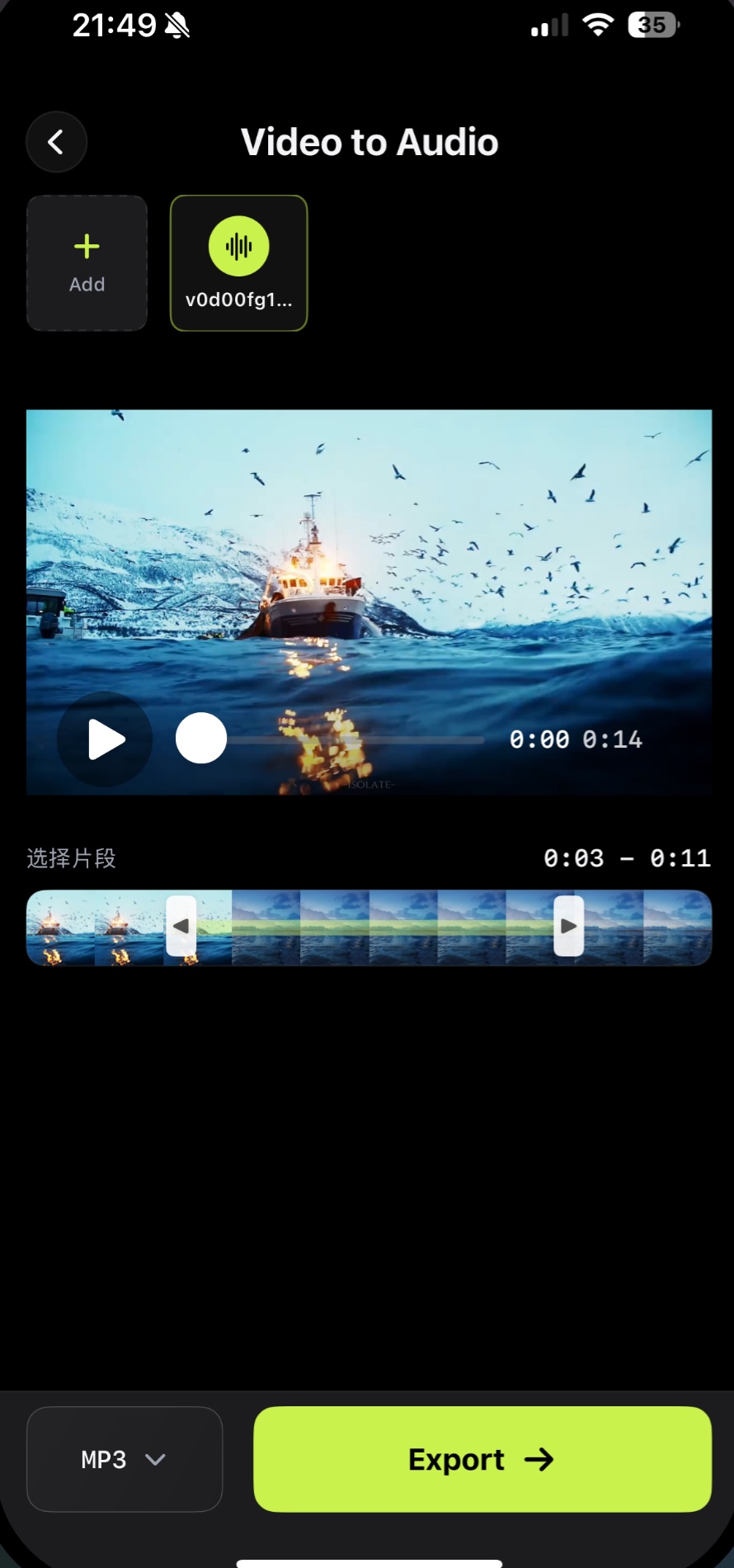
Audio Editor & MP3 Cutter includes a video to audio workflow for iPhone. You can import a video, select the part you need, extract the sound, and continue editing or exporting the result as a common audio format.
Download on the App StoreWhy it matters
Turn video sound into reusable audio
- Import video from your iPhone
- Select the exact segment to extract
- Preview the source media
- Export audio for editing or sharing
FAQ
Video to Audio questions
Can I extract audio from a video on iPhone?
Yes. The video to audio workflow lets you select a video segment and export its audio.
Can I use the extracted audio in other projects?
Yes. Exported audio files can be saved or shared for content creation, voice-over, podcasting, or personal use.
Does the app also edit the extracted audio?
Yes. After extraction, you can continue with trimming, conversion, enhancement, or other editing workflows.
Use video to audio on iPhone
Select a video, choose the segment you need, and export its sound as an audio file for editing or reuse.
Free download. In-App Purchases.iOS 17.0 or later