Format convert
Convert audio to 20+ formats
Audio Editor & MP3 Cutter supports exporting audio in more than 20 formats, including MP3, WAV, AAC, FLAC, M4A, ALAC, OGG, WMA, and more. This helps creators prepare files for upload platforms, archiving, sharing, or further editing.
Last updated: July 16, 2026
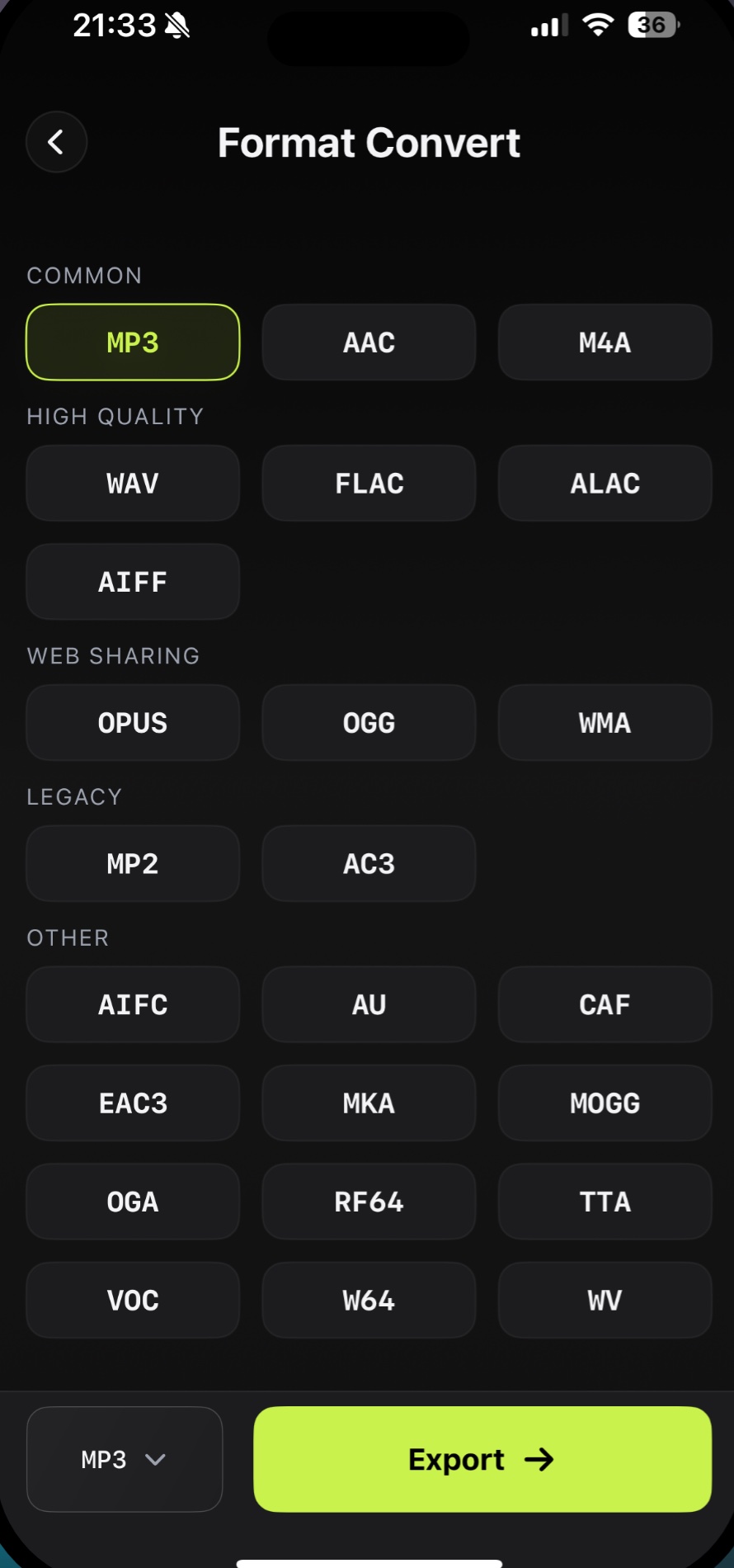
Audio Editor & MP3 Cutter supports exporting audio in more than 20 formats, including MP3, WAV, AAC, FLAC, M4A, ALAC, OGG, WMA, and more. This helps creators prepare files for upload platforms, archiving, sharing, or further editing.
Download on the App StoreWhy it matters
Export the format your workflow needs
- Convert to common and high-quality formats
- Choose an output format before export
- Balance file size and compatibility
- Use converted files across creator workflows
FAQ
Convert questions
What audio formats can I export?
The app supports common formats such as MP3, WAV, AAC, FLAC, M4A, ALAC, OGG, WMA, and more.
Is MP3 export supported?
Yes. MP3 is one of the common export options.
Can I convert audio after editing it?
Yes. Conversion is part of the export workflow, so you can edit and then choose the output format.
Use convert on iPhone
Export audio as MP3, WAV, AAC, FLAC, M4A, ALAC, OGG, WMA, and other formats for different publishing needs.
Free download. In-App Purchases.iOS 17.0 or later